
Auto-scheduling you can explain
Plan the week you can actually finish.
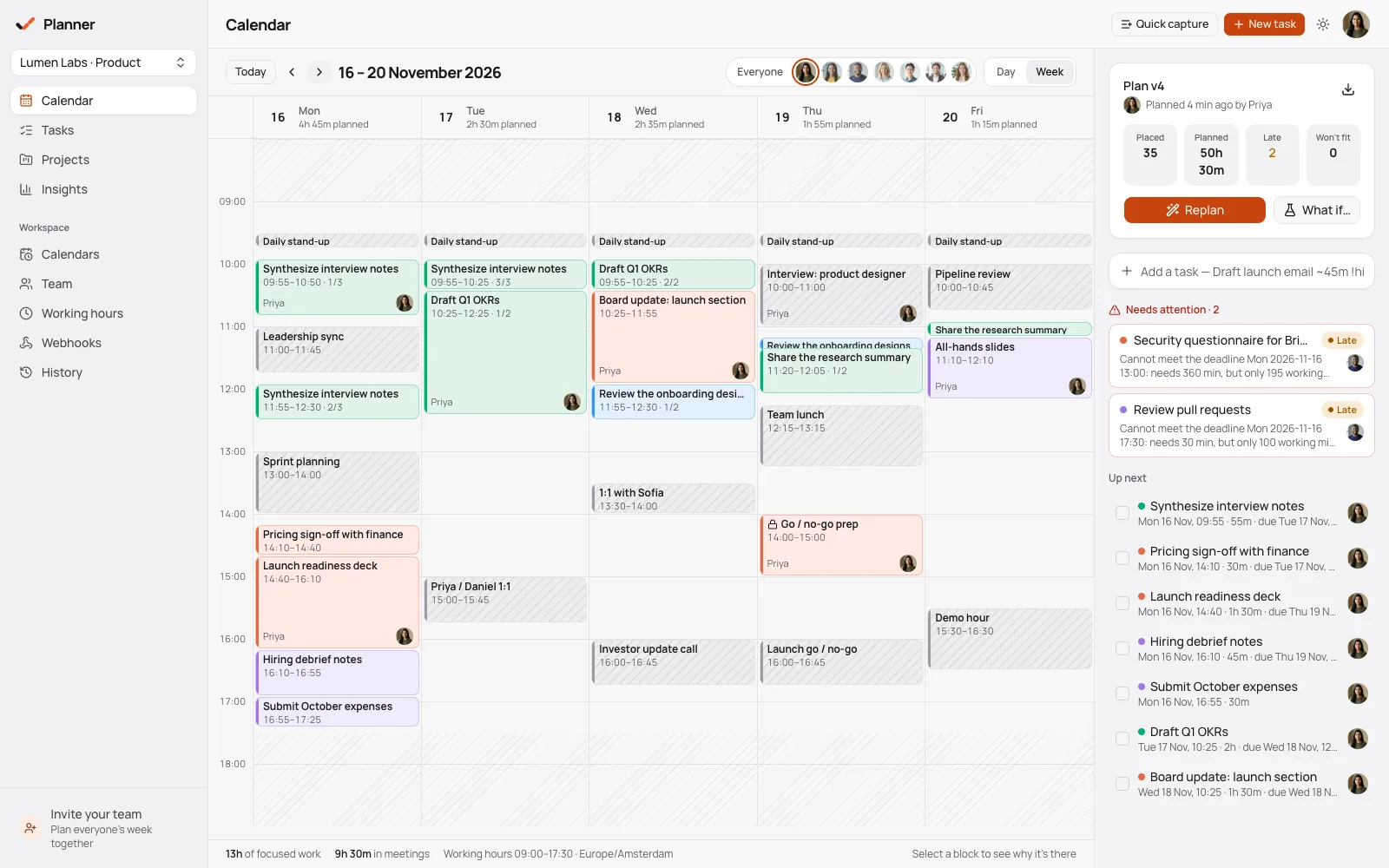
Capture tasks with estimates and deadlines, add your meetings, and Planner lays out a realistic week. Every block says why it landed there, and anything you lock stays exactly where you put it.
Free and open source. Bring meetings in from any .ics calendar export.
Why it's different
A scheduler that shows its work
Planner is a deterministic engine, not a black box: the same tasks, meetings and hours always produce the same plan.
Every block explains itself
Open any scheduled block to see why it's there: the deadline it protects, the task it waits on, the focus hours it fits.
- Dependencies are always scheduled in order
- Late or impossible work is flagged, not hidden
Pricing page: copy
Tue 10:00 – 11:30 · Deep work
Why this block is here
- DeadlineDue Wed 17:00 — this placement finishes more than a day early
- DependencyStarts after “Draft pricing page” (Mon 09:30 – 11:30)
- Focus hoursDeep work, so it prefers your 9–12 window
- ConflictsNone — Standup at 09:00 and your locked call prep are untouched
Locks always win
Pin a block to a time and every re-plan works around it. Completed work is kept, so re-planning never undoes your day.
- Locked blocks keep their exact time in every new version
- Nothing is ever scheduled on top of them
Plan v6
Plan v7 — after a new meeting
The locked block kept its exact time; everything else re-planned around it.
Try a what-if before you commit
Preview a re-plan as a diff — what moves, what's added, what slips — without saving a plan or touching your history.
- Restore any earlier plan version in one step
What-if: add “Customer escalation”
Preview · not saved- AddedCustomer escalation · Tue 13:30 – 14:30
- MovedReview Q4 roadmap · Tue 13:30 → Wed 09:30
- MovedHiring loop notes · Wed 09:30 → Wed 12:00
- Unchanged14 blocks, including 1 locked
Every deadline still met — apply as v8, or discard
Focus hours that never cost a deadline
Mark work as deep or shallow and set preferred focus hours. Planner keeps deep work inside them, unless that would make it late — and then says so.
- Workspace default hours, plus each person's own
- Repeating tasks planned day by day
Thursday
Deep work lands inside your focus hours. If that would make it late, Planner places it earlier and tells you why.
Also in Planner
Everything here works today, for individuals and teams.
Repeating tasks
Daily, weekdays, weekly on chosen days or monthly — each occurrence planned on its own day.
Insights from real work
Planned vs completed hours, deadline hit rate, most-pushed tasks and estimate accuracy.
Team lanes
Admins set capacity and assign work; assigned tasks are planned in that person's lane.
History and restore
Every run is a version. Restore an earlier plan without touching the others.
Your plan as a calendar
Export the plan as .ics, one event per block, to see it in any calendar app.
A complete export
Tasks, plans, meetings, settings and audit as JSON, with webhook secrets redacted.
How it works
From to-do list to a week on the calendar
- 01
Set your hours
Working hours, time zone and focus windows for the workspace — and for each person.
- 02
Capture tasks
Quick capture, then add estimates, deadlines, priorities, dependencies and repeats.
- 03
Add your meetings
Block meetings by hand or import an .ics export as busy time for everyone or one person.
- 04
Run the scheduler
Get an explainable plan, lock what matters, preview a what-if and save a new version.
Bring your calendar
Your meetings, already on the plan
Export your calendar as .ics from Google Calendar, Outlook or Apple Calendar and import it as busy time — for the whole workspace or one person. Re-importing updates what changed instead of duplicating it.
- Recurring meetings, time zones, exceptions and moved instances are understood
- Import for everyone, or as one person's busy time
- Re-import the same calendar and only the changes are applied
Open source
A planner you can audit
Planner is free and open source under the AGPL-3.0. Read exactly how the scheduler decides, and take every task and plan with you.
Export everything
Download the workspace as JSON — tasks, plans, meetings, settings — or your plan as an .ics calendar.
Every plan is a version
Each run saves an immutable plan version with a fingerprint. Restore an earlier one without losing the rest.
Signed webhooks
Send plan.applied and task.at_risk to your own tools, signed with HMAC, with a delivery log that records failures honestly.
An audit trail
Every change to tasks, hours, plans and team settings is recorded, and admins can read it.
Questions
Before you plan your first week
Plan a week you can finish
Set your hours, capture your tasks, add your meetings and let Planner lay out the week — with a reason for every block.
Plan your week